
🔐 In-Flight Encryption
How to encrypt credentials before sending them to the TaxStreem API.
Why in-flight encryption?
All Flux filing requests carry sensitive government-portal credentials (email + password). While every API call already travels over TLS (HTTPS), TaxStreem adds a second layer of encryption at the application level so that credentials are never visible in plaintext — not in logs, proxies, or intermediate infrastructure. This is called in-flight encryption.
The encryptedPayload field in every Flux request must contain credentials encrypted with AES-256-GCM using your Shared Secret.
Encryption Specification
| Property | Value |
|---|---|
| Algorithm | AES-256-GCM |
| Key Derivation | SHA-256(sharedSecret) |
| IV (Nonce) | 12 bytes (96-bit), random per request |
| Auth Tag | 16 bytes (128-bit), appended by GCM |
| AAD | sharedSecret (UTF-8 bytes) |
| Encoding | Base64 (standard) |
The #1 integration mistake — missing AAD
AES-256-GCM supports Additional Authenticated Data (AAD) — extra data that is authenticated but not encrypted. TaxStreem uses your sharedSecret as the AAD. You must pass it when encrypting, or the server will reject the payload with:
This error means the auth tag could not be verified — almost always because AAD was missing or incorrect.
Payload Format
The final transmitted value must be:
- IV — randomly generated fresh for every request. Never reuse.
- Ciphertext — AES-GCM encryption of the JSON payload.
- AuthTag — 16-byte GCM authentication tag, appended automatically by all standard libraries.
Plaintext Before Encryption
Encrypt a JSON object with exactly these two fields:
{
  "email": "your_rev360_email@example.com",
  "password": "your_rev360_password"
}
Implementation Examples
import crypto from "crypto";

const IV_LENGTH = 12;

export function encryptCredentials(
  email: string,
  password: string,
  sharedSecret: string,
): string {
  // 1. Derive 32-byte AES key from sharedSecret
  const key = crypto.createHash("sha256").update(sharedSecret).digest();

  // 2. Generate fresh random IV (never reuse)
  const iv = crypto.randomBytes(IV_LENGTH);

  const cipher = crypto.createCipheriv("aes-256-gcm", key, iv);

  // 3. Set sharedSecret as AAD — required, must match server
  cipher.setAAD(Buffer.from(sharedSecret, "utf8"));

  const plaintext = JSON.stringify({ email, password });
  const ciphertext = Buffer.concat([
    cipher.update(plaintext, "utf8"),
    cipher.final(),
  ]);

  const tag = cipher.getAuthTag(); // 16 bytes

  // 4. Pack: IV || Ciphertext || AuthTag, then Base64
  return Buffer.concat([iv, ciphertext, tag]).toString("base64");
}import os
import json
import base64
import hashlib
from cryptography.hazmat.primitives.ciphers.aead import AESGCM
def encrypt_credentials(email: str, password: str, shared_secret: str) -> str:
# 1. Derive 32-byte AES key from sharedSecret
key = hashlib.sha256(shared_secret.encode()).digest()
# 2. Generate fresh random IV (never reuse)
iv = os.urandom(12)
aesgcm = AESGCM(key)
plaintext = json.dumps({"email": email, "password": password}).encode()
# 3. Pass sharedSecret as AAD (aad= parameter) — required
ciphertext_with_tag = aesgcm.encrypt(iv, plaintext, shared_secret.encode())
# AESGCM.encrypt appends the 16-byte tag automatically
# Result layout: IV || Ciphertext || AuthTag
return base64.b64encode(iv + ciphertext_with_tag).decode()import (
"crypto/aes"
"crypto/cipher"
"crypto/rand"
"crypto/sha256"
"encoding/base64"
"encoding/json"
"io"
)
func EncryptCredentials(email, password, sharedSecret string) (string, error) {
// 1. Derive 32-byte AES key from sharedSecret
hash := sha256.Sum256([]byte(sharedSecret))
key := hash[:]
plaintext, err := json.Marshal(map[string]string{
"email": email,
"password": password,
})
if err != nil {
return "", err
}
// 2. Generate fresh random IV
iv := make([]byte, 12)
if _, err := io.ReadFull(rand.Reader, iv); err != nil {
return "", err
}
block, err := aes.NewCipher(key)
if err != nil {
return "", err
}
gcm, err := cipher.NewGCM(block)
if err != nil {
return "", err
}
// 3. Pass sharedSecret as AAD — the 4th argument to Seal
aad := []byte(sharedSecret)
ciphertextWithTag := gcm.Seal(nil, iv, plaintext, aad)
// GCM.Seal appends the 16-byte auth tag automatically
// Pack: IV || Ciphertext || AuthTag
packed := append(iv, ciphertextWithTag...)
return base64.StdEncoding.EncodeToString(packed), nil
}import javax.crypto.Cipher;
import javax.crypto.spec.GCMParameterSpec;
import javax.crypto.spec.SecretKeySpec;
import java.nio.charset.StandardCharsets;
import java.security.MessageDigest;
import java.security.SecureRandom;
import java.util.Base64;
public class EncryptionUtil {
public static String encryptCredentials(String email, String password, String sharedSecret) throws Exception {
// 1. Derive 32-byte AES key from sharedSecret
byte[] key = MessageDigest.getInstance("SHA-256")
.digest(sharedSecret.getBytes(StandardCharsets.UTF_8));
// 2. Generate fresh random IV (never reuse)
byte[] iv = new byte[12];
new SecureRandom().nextBytes(iv);
Cipher cipher = Cipher.getInstance("AES/GCM/NoPadding");
cipher.init(Cipher.ENCRYPT_MODE,
new SecretKeySpec(key, "AES"),
new GCMParameterSpec(128, iv));
// 3. Set sharedSecret as AAD — required, must match server
cipher.updateAAD(sharedSecret.getBytes(StandardCharsets.UTF_8));
// Use a proper JSON library (Gson / Jackson) in production
String plaintext = String.format(
"{"email":"%s","password":"%s"}", email, password);
byte[] ciphertextWithTag = cipher.doFinal(plaintext.getBytes(StandardCharsets.UTF_8));
// AES/GCM/NoPadding appends the 16-byte auth tag automatically
// Pack: IV || Ciphertext || AuthTag
byte[] packed = new byte[iv.length + ciphertextWithTag.length];
System.arraycopy(iv, 0, packed, 0, iv.length);
System.arraycopy(ciphertextWithTag, 0, packed, iv.length, ciphertextWithTag.length);
return Base64.getEncoder().encodeToString(packed);
}
}Where to find your Shared Secret
Your Shared Secret is available in the Settings → Security section of your TaxStreem developer dashboard. Store it securely in your environment variables and never commit it to source control.
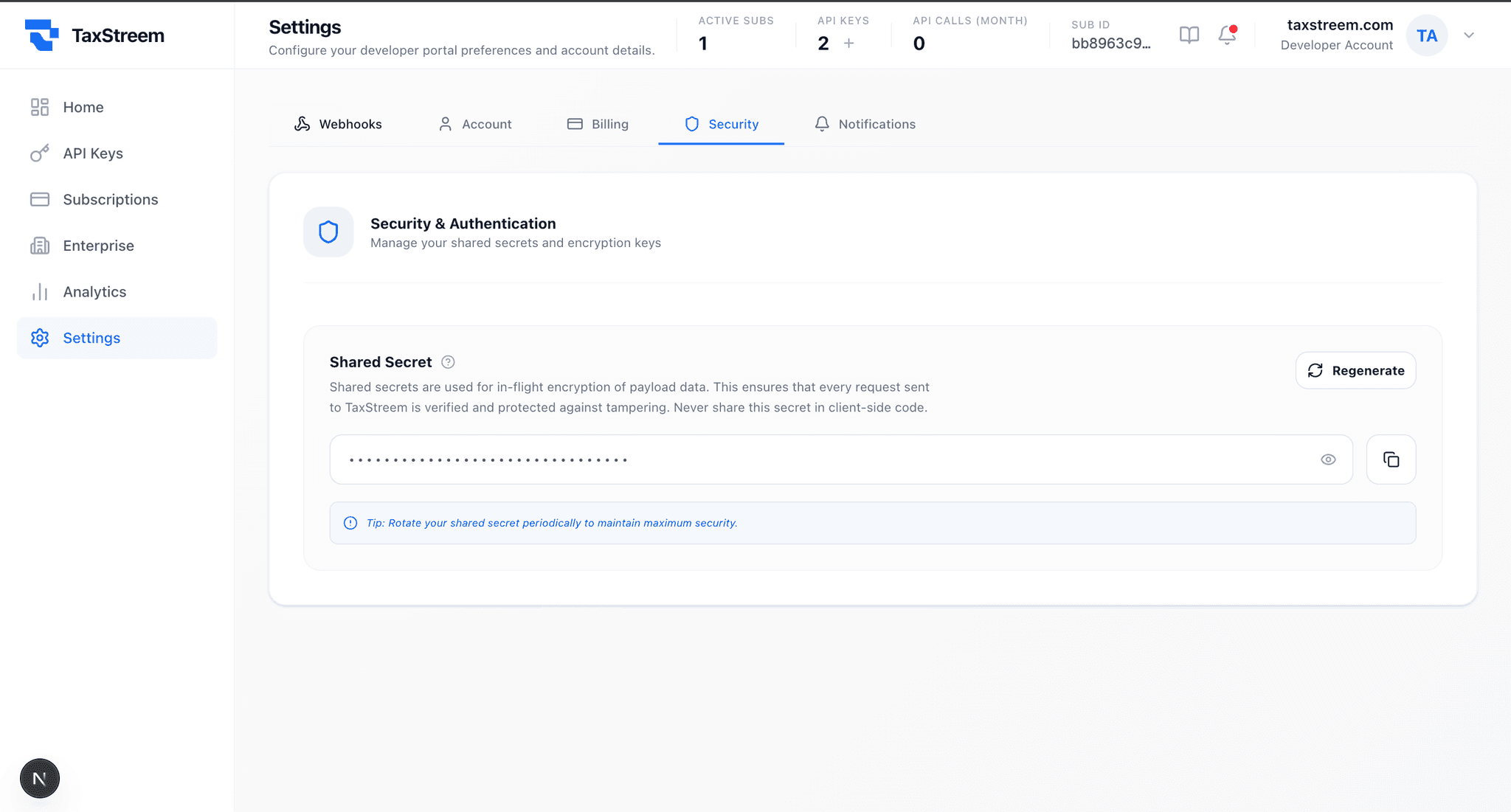
The Shared Secret shown above is the value you pass as sharedSecret in all three encryption examples.
Common Errors
| Error | Root Cause | Fix |
|---|---|---|
| Unsupported state or unable to authenticate data | AAD missing or wrong — sharedSecret not passed as additional authenticated data | Pass sharedSecret as AAD in your cipher call |
| PAYLOAD_ERROR: Failed to decrypt in-flight encrypted payload | Wrong sharedSecret used for encryption, or payload was corrupted in transit | Verify you are using the exact sharedSecret from the dashboard |
| PAYLOAD_ERROR: No encrypted payload found | encryptedPayload field is missing or empty in the request body | Ensure the field is included and non-empty before sending |
| Base64 decode error | Output was URL-safe Base64 but standard Base64 is required, or extra whitespace was added | Use standard Base64 encoding (btoa / base64.StdEncoding), trim whitespace |
Security Checklist
- Generate a fresh random IV for every request — never hardcode or reuse
- Always pass
sharedSecretas AAD - Store your sharedSecret in environment variables — never in source code
- Never log the plaintext credentials or the sharedSecret
- Rotate your sharedSecret via the dashboard if you suspect it has been compromised